There can be multiple reasons why the Special Allowance becomes negative.
Generally, this happens when the Employee's CTC is lower than the total allocated components value.
Example: If you look at this example, the CTC is ₹20 lakhs, while the total earning components allocated amount is ₹25 lakhs. As a result, the residual component, which is the Special Allowance, is going negative to account for the difference.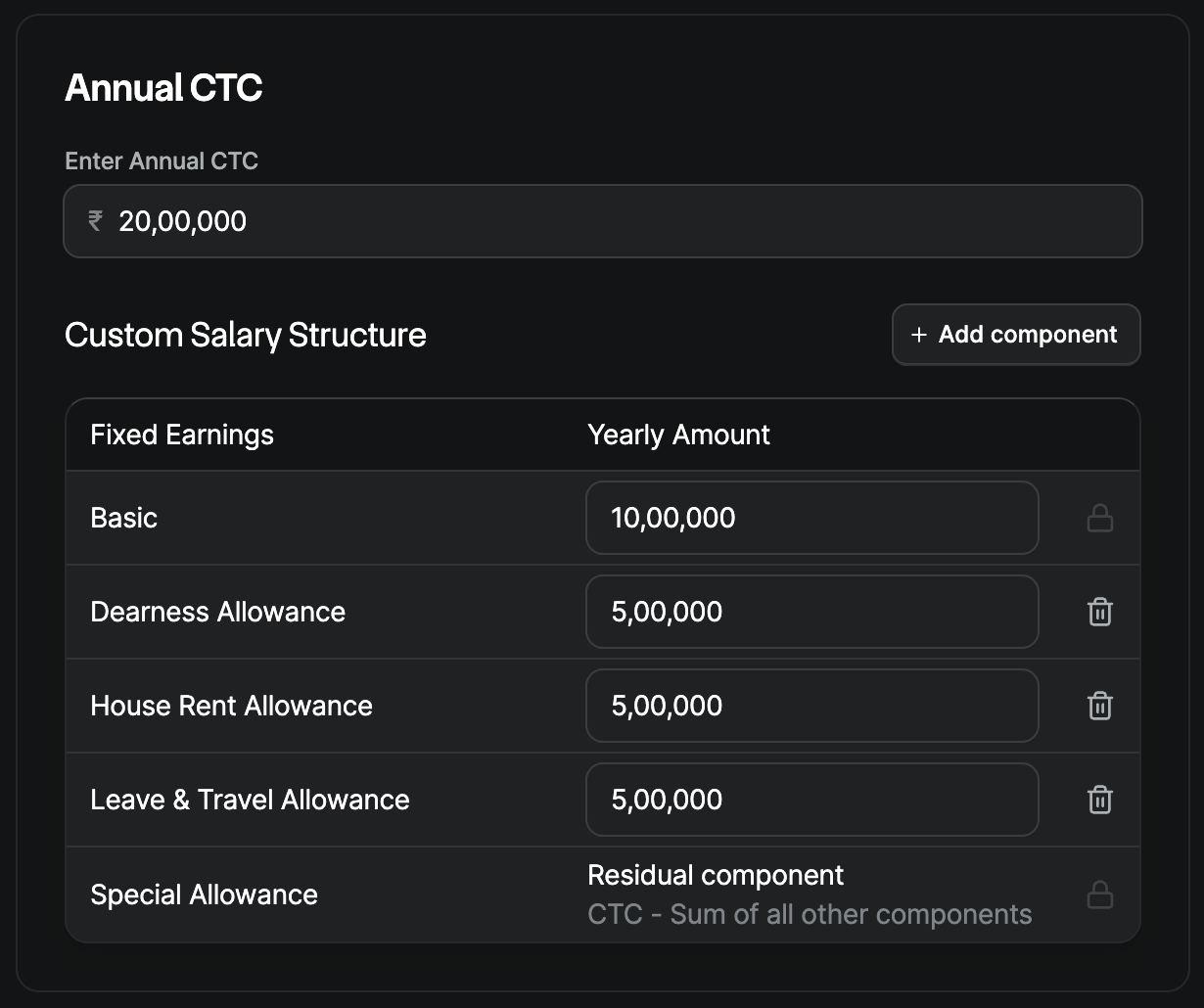
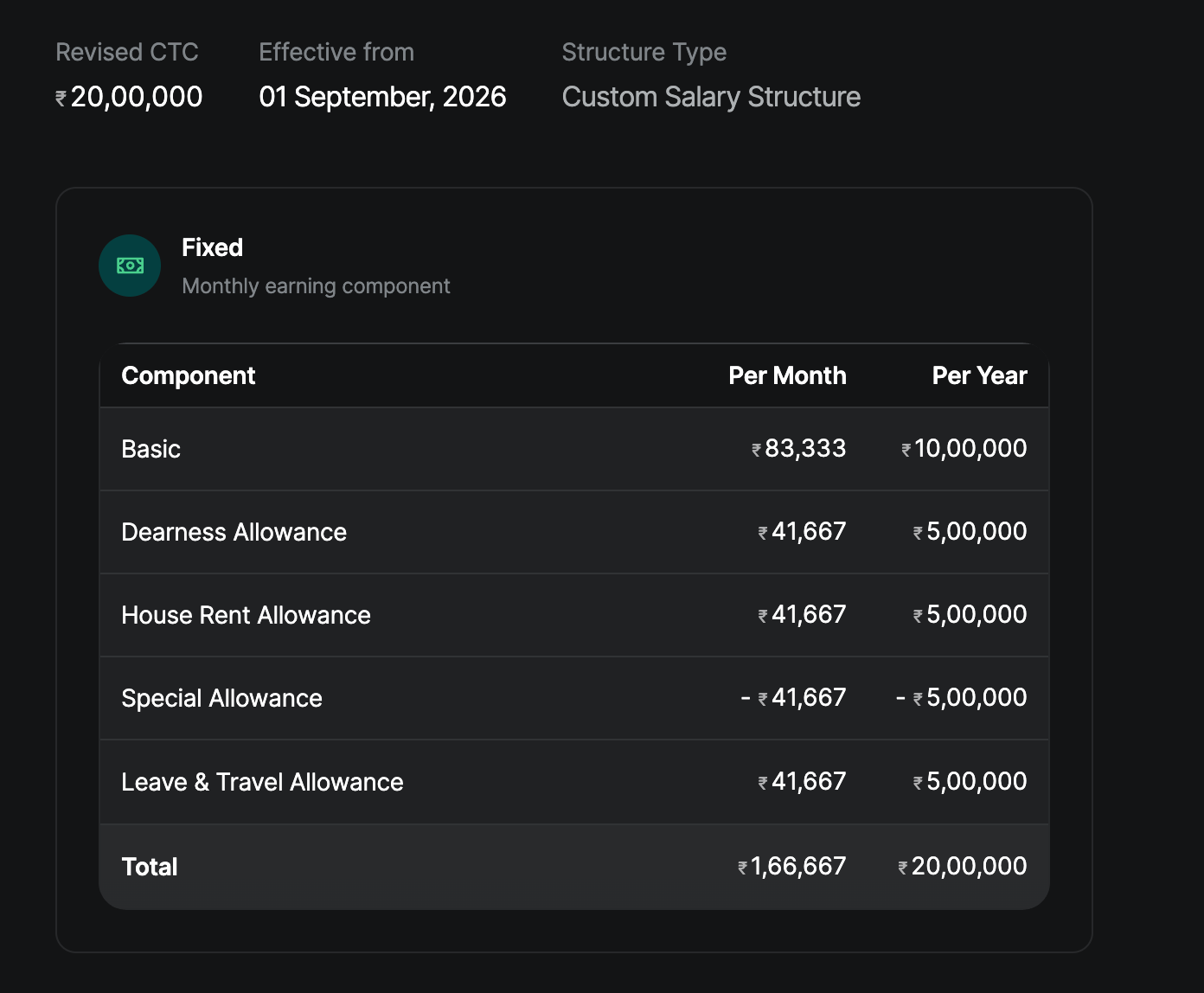
Additionally, if the setting “Employer PF Contribution is part of Employee CTC” is enabled, the Employer PF Contribution will be adjusted from the Special Allowance component.
In such cases, the client needs to ensure that sufficient amounts are allocated to the Special Allowance so that the CTC is correctly structured and payroll can be finalized without errors.
If the same needs to be updated in bulk you can navigate to Bulk actions → Salary revision to update the same for multiple Employees
Was this article helpful?
That’s Great!
Thank you for your feedback
Sorry! We couldn't be helpful
Thank you for your feedback
Feedback sent
We appreciate your effort and will try to fix the article